

The roadmap to the successful implementation AND operation of your CMS
In 6 easy and simple steps – Guided all the way by the Kims Software and e-Learning / Contact Programs !! The Kims implementation and operation program is compiled by alternating e-Learning / contact workshops and the practical application thereof, broken down into small manageable chunks taking your time restraints into account (Scroll down to see detail):Step 1 – Kims System Configuration setup and Personalization
Step 2 – Kims Foundation Knowledge Preparation
Step 3 – CMS Implementation Project Preparation & Planning
Step 4 – Kims software configuration of your own CMS
Step 5 – Development of your own procedures
Step 6 – End user training and ongoing CMS operation
Step 1: Kims System Configuration Setup & Personalization
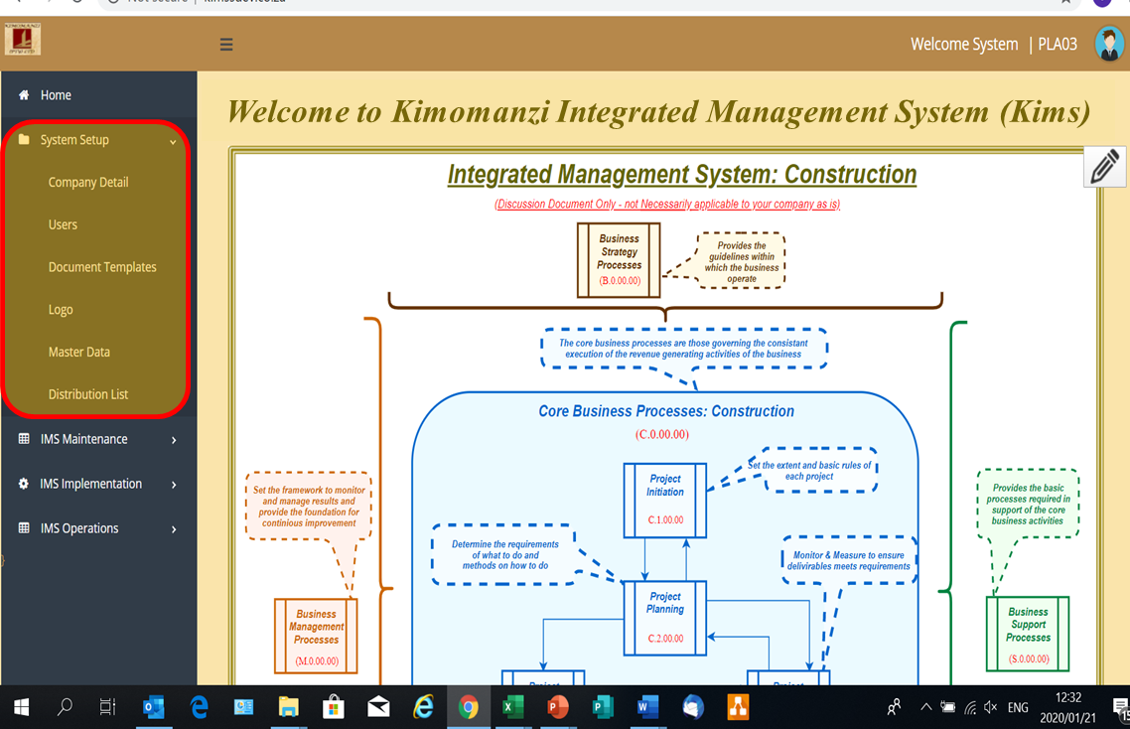
Setup and Personalize


Step 2: Kims Foundation Knowledge Preparation
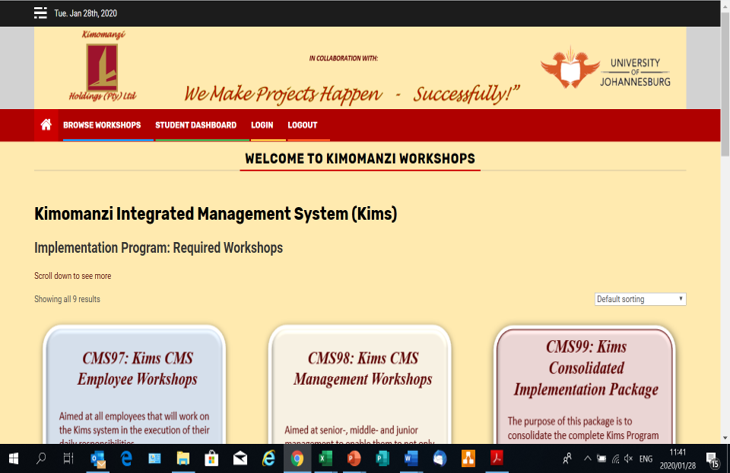
Kims Program Foundation Knowledge
To ensure a good comprehension of the Kims Program components and how they integrate, every participant that are involved in the development and implementation of a Construction Management System for their company are required to work through the following e-Learning workshops that will provide them with a sound foundation to enable them to implement their Construction Management System:


Step 3: CMS Implementation Project Preparation and Planning
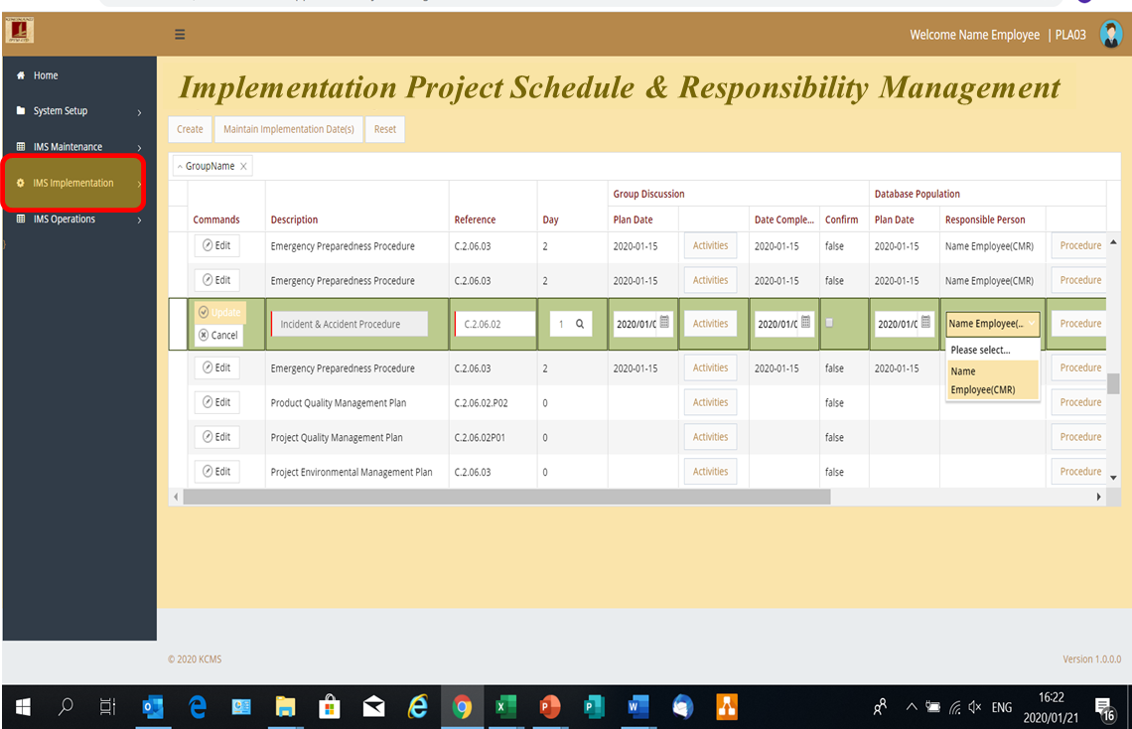
CMS Implementation Project Preparation and Planning
The only way in which the implementation of your CMS can be effective and efficient is if you treat and manage the implementation as a project in its own right as you would any construction project using the same project management principles as discussed in workshop CMS04 – tailored to suit this project. It is VERY IMPORTANT at this point to remember that implementing a CMS can not be done by 1 person – ALL EMPLOYEES MUST BE INVOLVED!! The Kims Implementation Project Schedule & Responsibility Management tool guides you through this process providing the basic structure that you can modify to suit your own requirements to:- Identify the required activities
- Allocate execution responsibilities to individual employees
- Allocate authorization responsibilities to individual employees
- set the time management schedule
- Plan and record the progress monitoring process


Step 4: Configure the Base Structure of Your Own Unique CMS
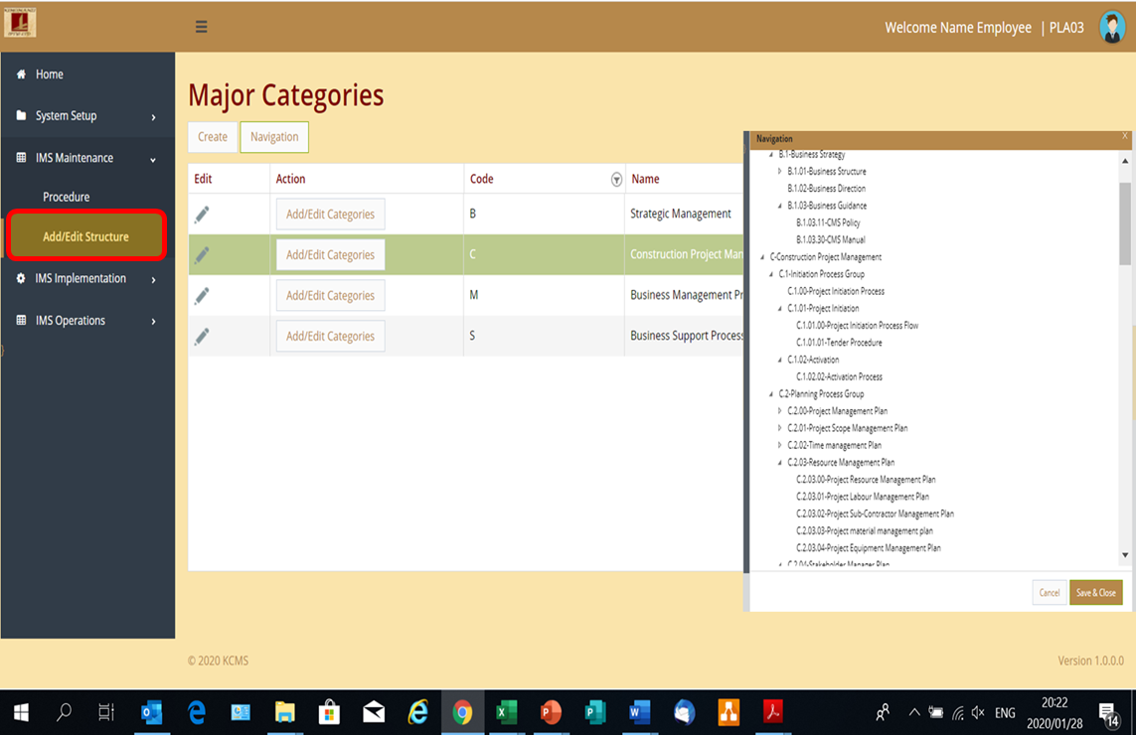
Kims Base Structure Configuration
Add/Edit Structure: The structure that are provided are aligned to the business model as discussed in workshop CMS04 and it can be accepted as is, or it can be modified, or completely re-configured to suit your individual requirements!
Step 5: Develop your own unique Processes & Procedures
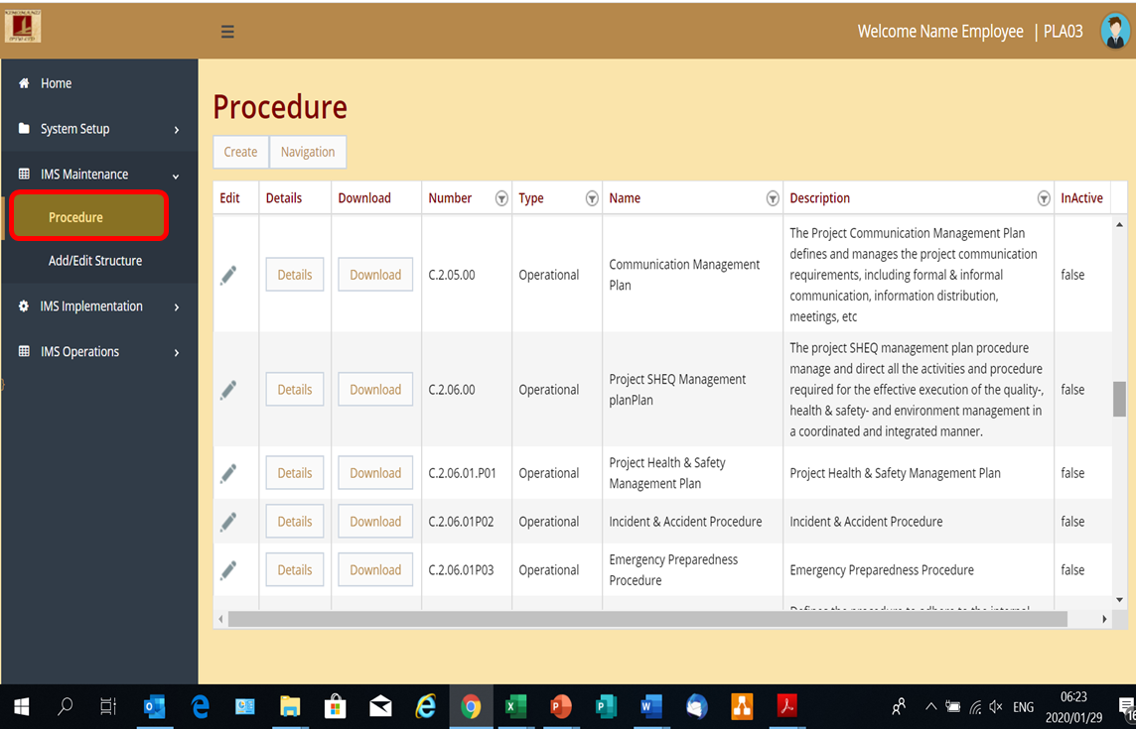
Developing Procedures
There are a total of 67 individual processes and procedures specific to a construction contracting entity, of which 52 are operational procedures covering all aspects of the business model from tender & project management to supplier management to HR management to corrective action, document management, etc. These processes and procedures (see accompanying screenprint example) can be individually:- Accepted as is by just personalizing it through allocating responsibility, setting your own objectives, authorizing the procedure for use, etc. or
- Changed to reflect your own descriptions and required activities, or
- Completely deleted / inactivated if not applicable to your environment, or
- Consolidated into fewer procedures if applicable
The procedures can be maintained through the following options:
Edit: Change the basic procedure information such as the number, heading, description, type of procedure (operational, statement, etc), Responsible person, category, etc. Details: Change the details of the procedure execution such as the process flow, purpose, objectives, version control, required executable activities and their executable controlled documents like inspection & test schedules, etc. etc. Download: View, print, download the document in accordance with the personalized document template you created in step 1.


Step 6: Ongoing Daily Operations of Your CMS
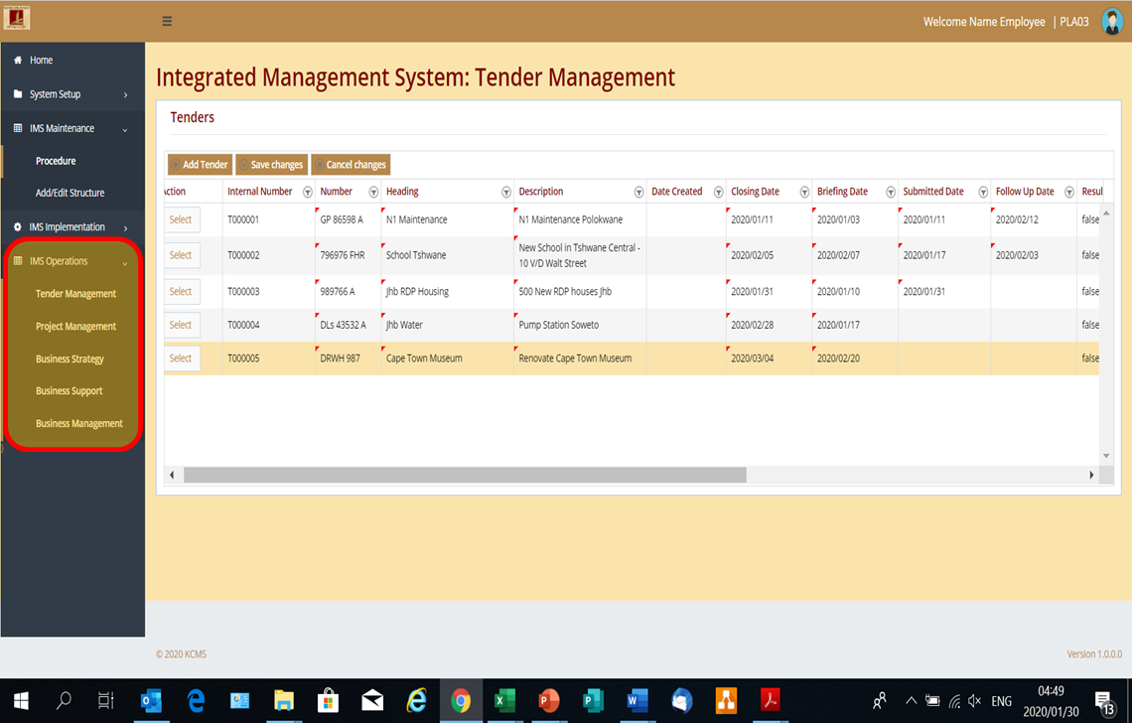
Execute Your procedures according to the definitions in Step 5
The biggest benefit of the Kims system is the auto-conversion of the actions to execute a procedure as defined during Step 5 into executable daily management activities. The accompanying screen-print reflects the tender management procedures as an example where the selection of any one of these tenders will drill down into the list of activities and executable documents required to complete each activity of the tender. Each activity can be a host of different type of actions from mere confirmation that something was done, to completing a document (e.g. briefing Notes), to selecting and printing prepared documents (returnables), to completing a register (inspection & test schedule) to uploading external documents (tender document), and much, much more more. In short it manages the execution of all procedures (see the options in the navigation pane) defined in step 5 and, most importantly keeps full record thereof that can be easily accessed by any authorized user, regardless of where they are, which drastically improves the flow of information and communication between for example office staff and project staff on site, assisting management to know what is happening at all times. This is a very brief “taste” of what the Kims System has to offer to improve the smooth operation of your business AND at the same time get certified to SANS 1393:2013 of the ISO equivalent!Note: Although this all seems a lot and quite involved and complicated, REMEMBER that 95% of it all is driven by the Kims System in the background!
